Team
Written By Natalia
Last updated Over 1 year ago
Team roles
Owner - As the creator of a team, you are automatically assigned as the Owner. You can change this in the team management tab within the team environment. The team Owner can add users to the team and can archive the team.
Maintainer -Users with Maintainer status have the right to add users to the team, remove users, and modify their status.
Editor - Users with Editor status can access a personal workspace and share their work with other team users in the team environment.
Guest - Users with Guest status can view the created dashboards in the Team environment but do not have the rights to create data visualizations.
Read more about team roles and permissions: here.
Create a team
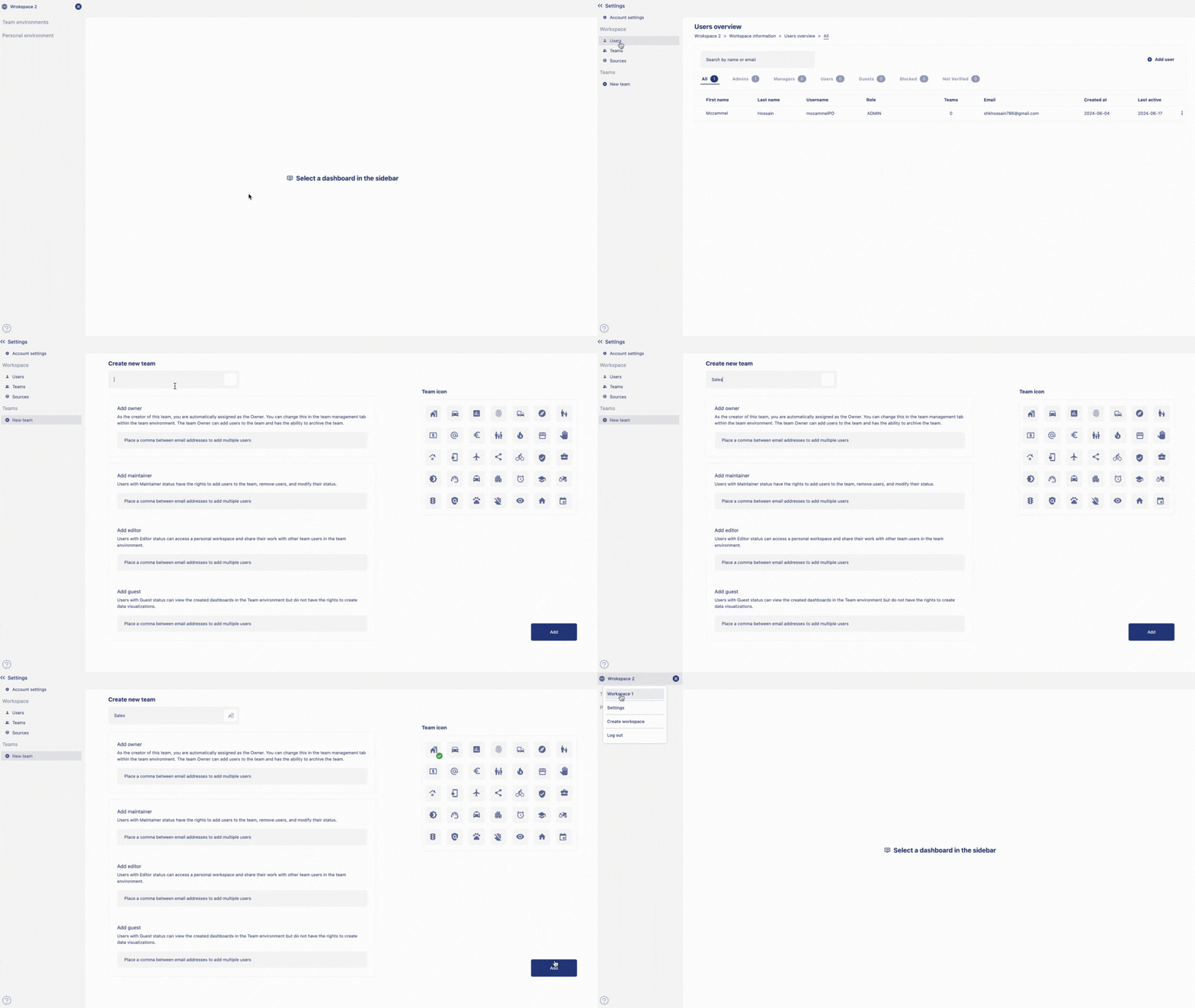
To create a new team, click on the name of the
workspaceon top of the left-hand sidebar. An option menu will appear with the name of the workspaces, settings, admin and log out options. Click onsettings.Click on
new teamfrom the sidebar. Give anameto your team and choose anicon. Click onaddto create team.
Invite user to a team
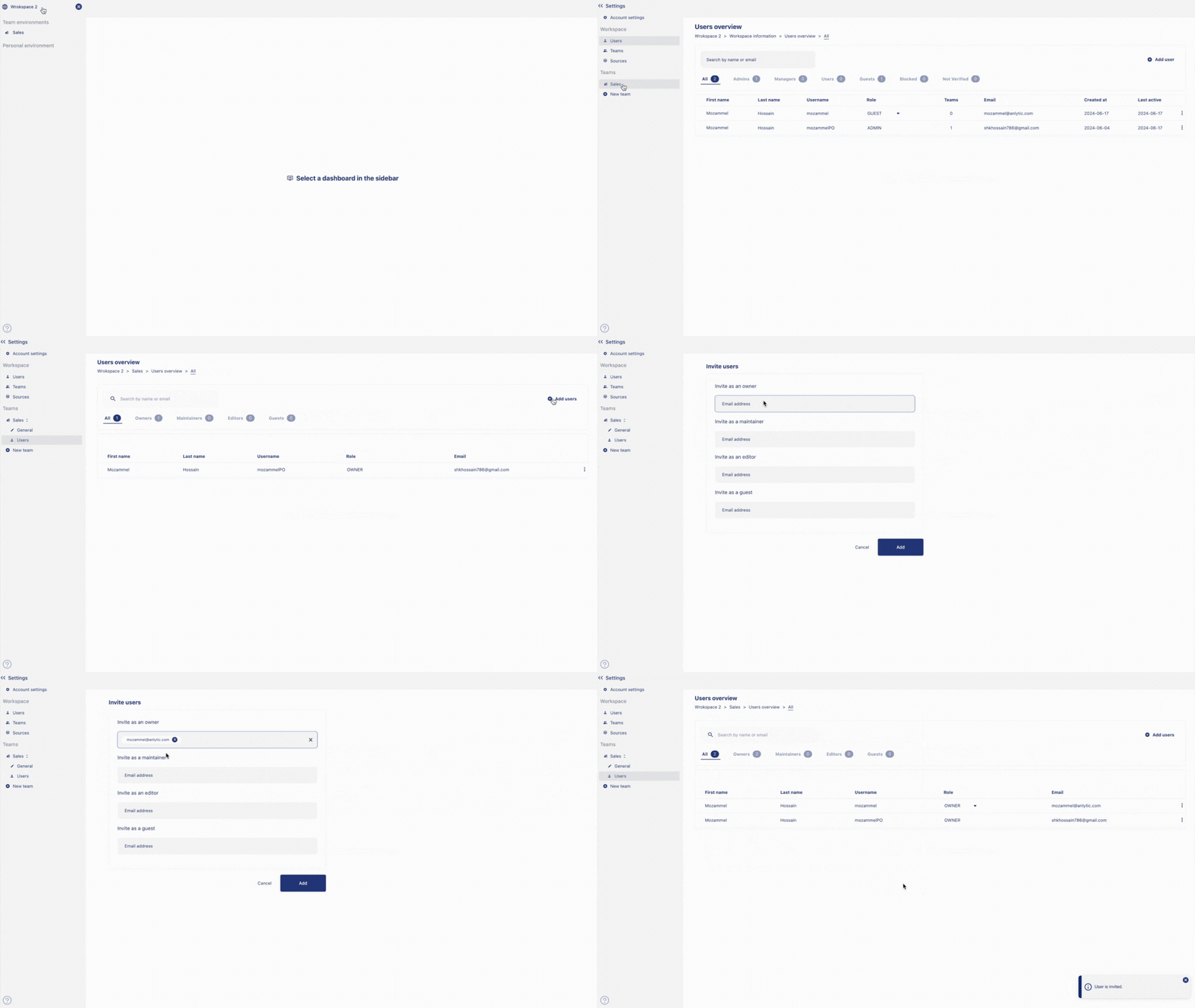
Go to settings, click on the
nameof the team you want to add an user to.Two options will appear, general and users. Click onusers, a users overview will appear. Click onadd usersfrom the top right hand corner of the user overview.Input the
emailof the user to invite them either as owner, maintainer, editor or a guest. Click onaddto add user to the team.
Remove user from the team
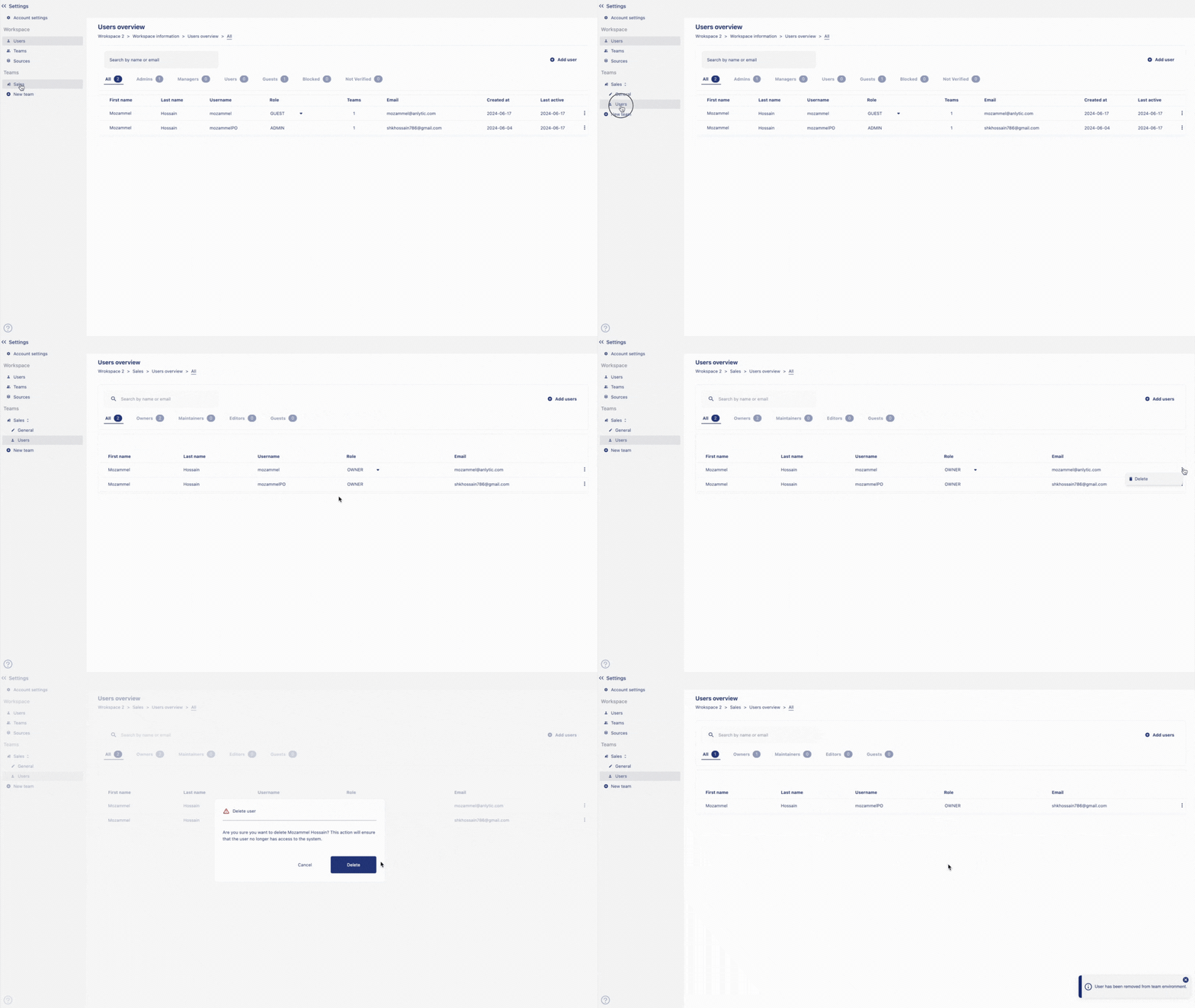
From the settings page, Click on the
nameof the team you want to remove the user from. Two options will appear, general and users Click on users, an user overview will appear.Click on
⫶on the name of the user. Delete option will appear. Click ondeleteto remove user from the team. Click ondeleteto confirm your choice.
Edit a team
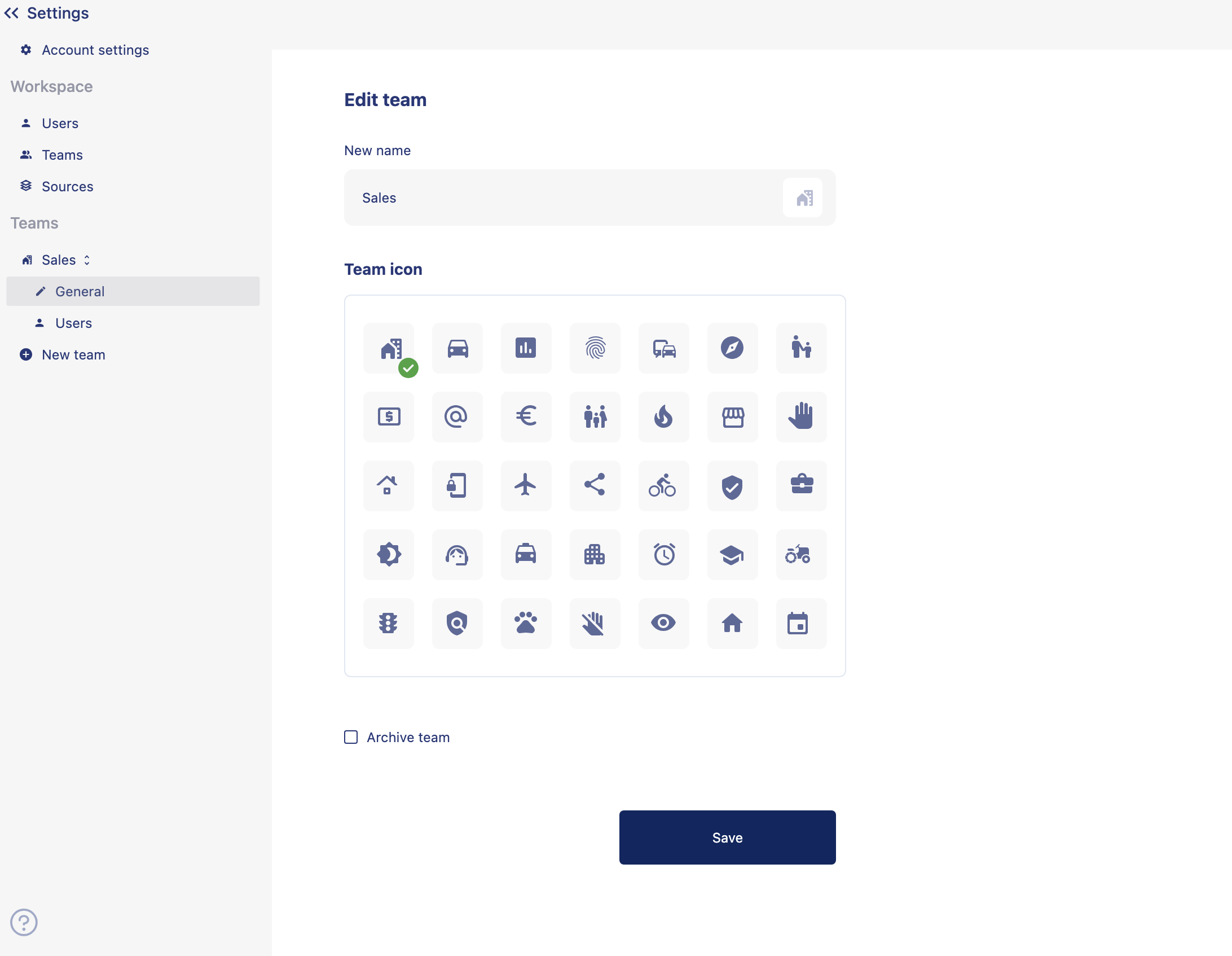
From the settings page, click on the name of the team you want to edit. Two options will appear, general and users. Click on General. The edit team option will appear where you can change the team name, team icon, or archive a team.
Archive a team
Select archive team. Click on save, team is archived and added to the archived list.
Reactivate / Delete a team
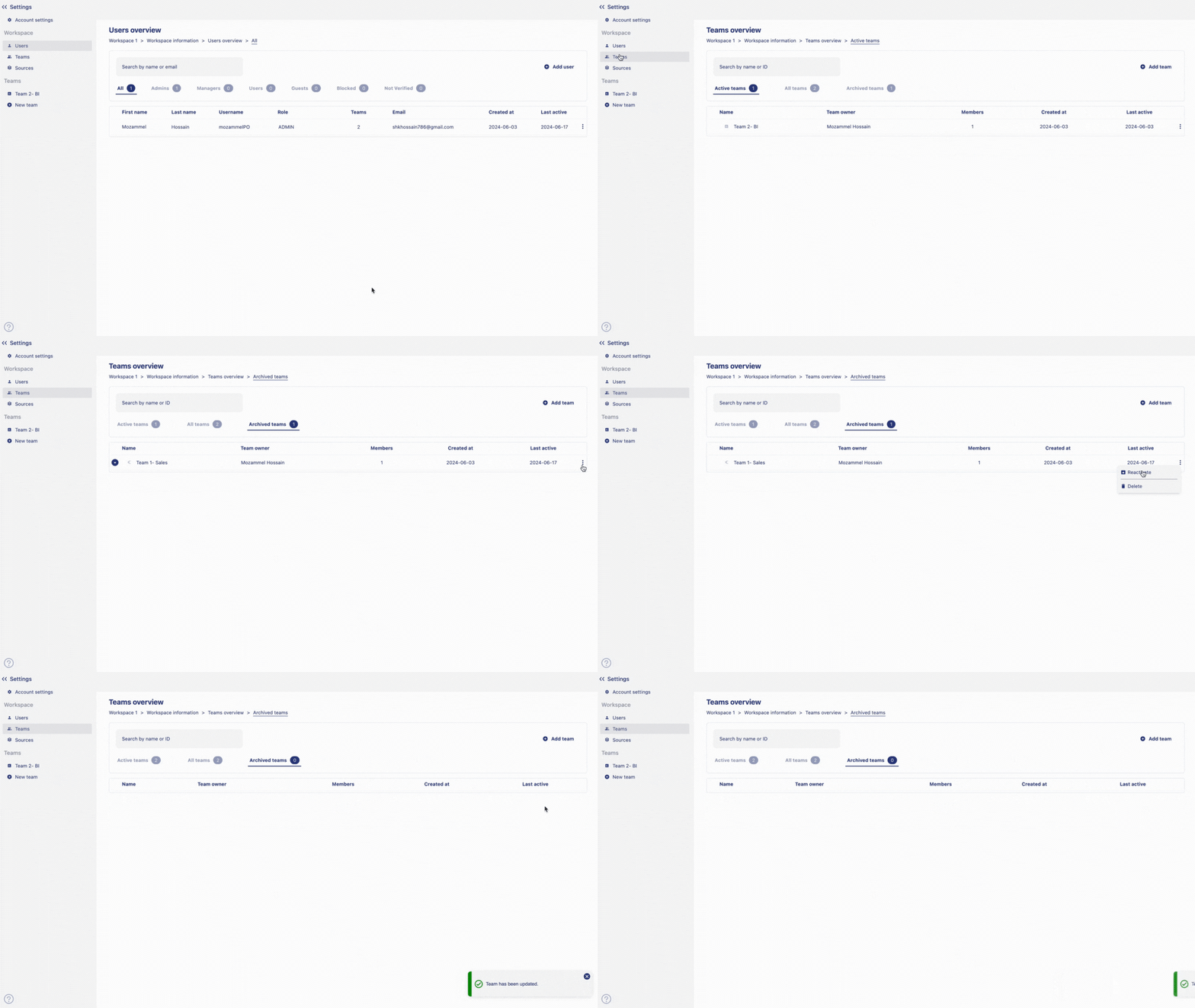
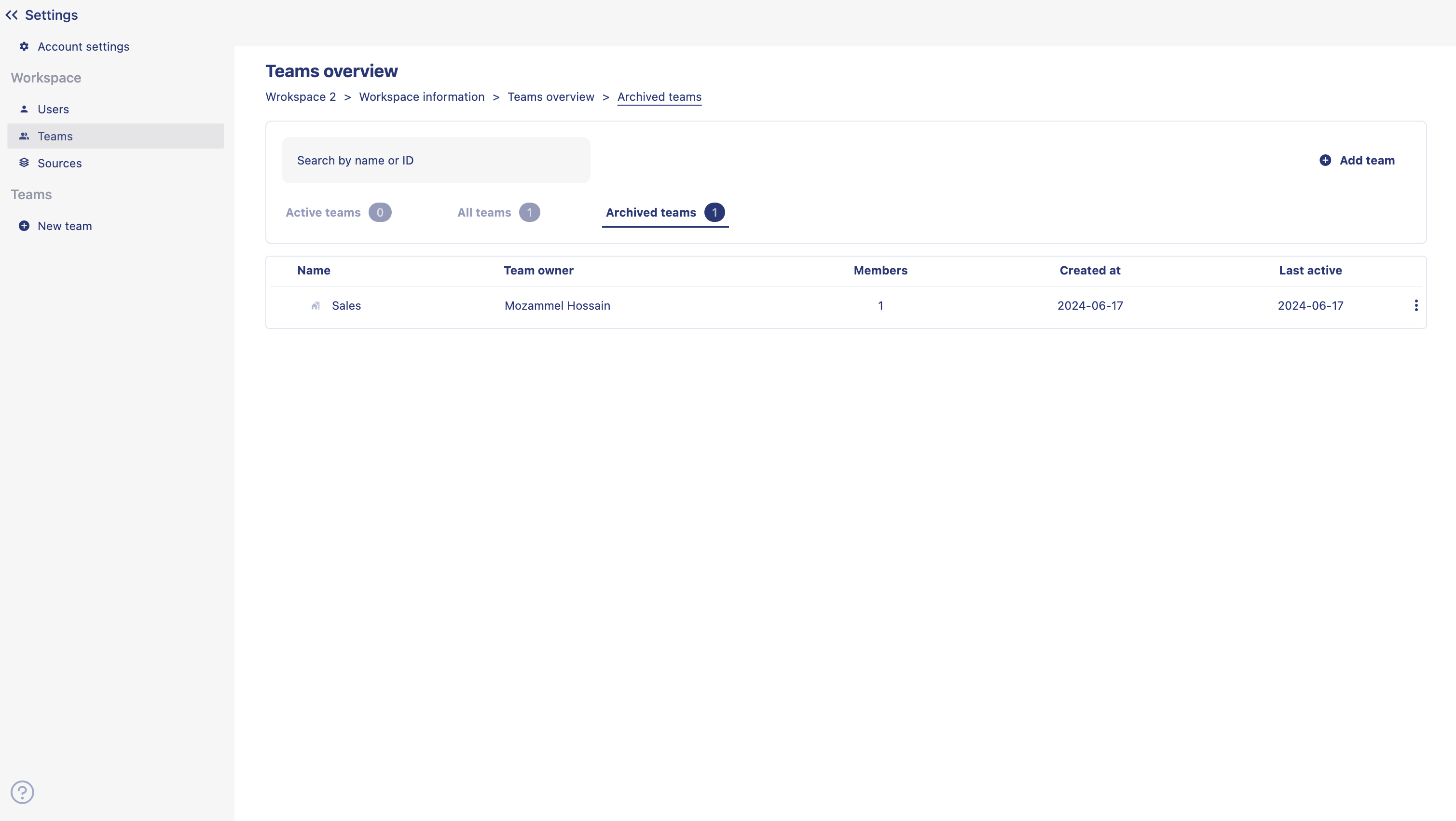
From the settings page, Click on
Teamsto open teams overview option. Click onArchived teamstab from the teams overview page.Click on
⫶on the name of the team. Reactivate or delete option will appear.Click on
Reactivateto restore the team or click onDeleteto delete the team.