Workspace
To start working with a team and collaborate over data, you first need to add users to the workspace. Once they are part of the workspace, you can invite them to different teams in different team roles. On this page we will walk you through how you can add people to your workspace.
Written By Natalia
Last updated Over 1 year ago
Add users to the workspace
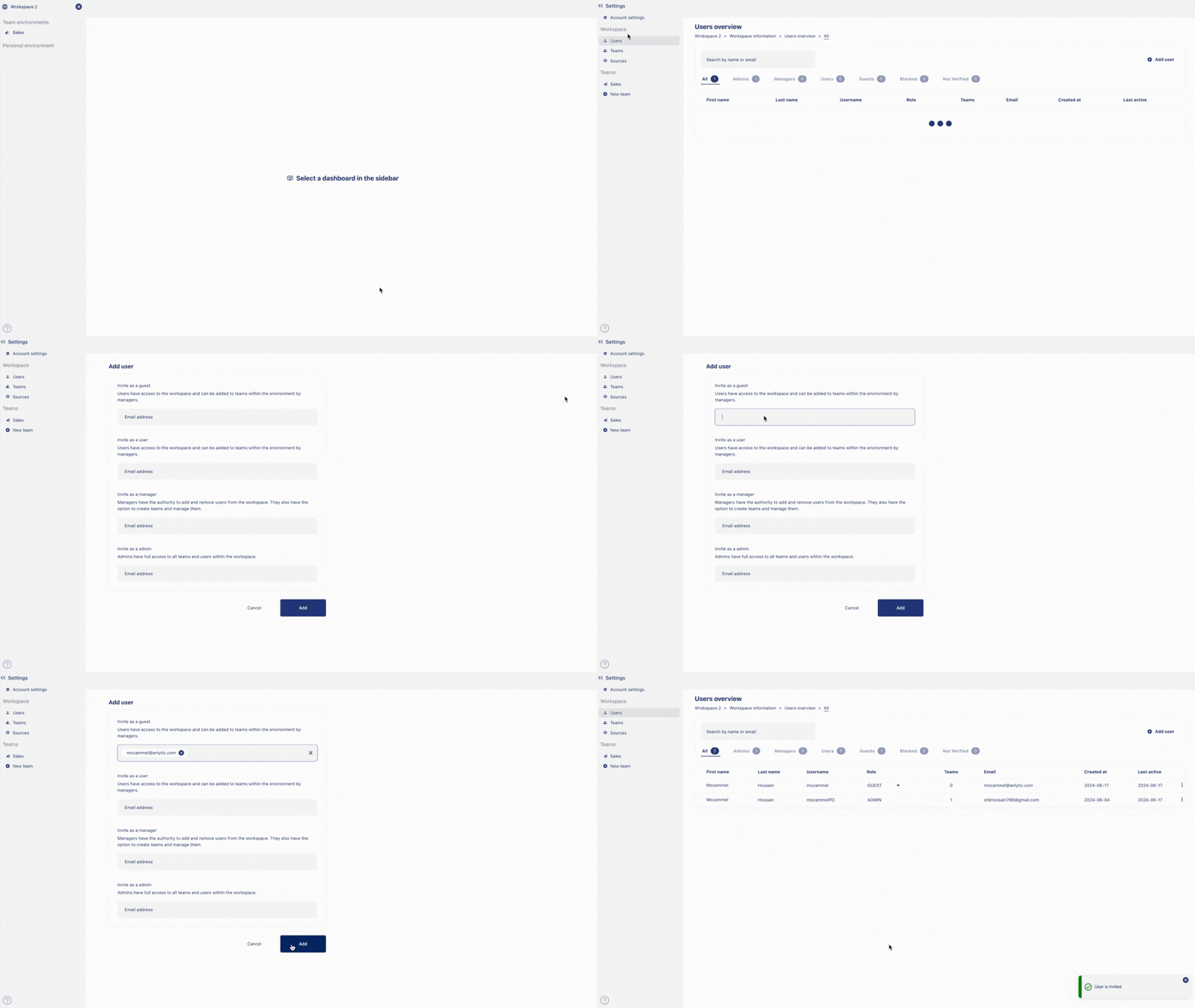
Click on the
nameof the workspace. Go tosettings. Click onadd usersunder users overview. Input the useremailto add the user as guest, user, manager or in admin role.Click on
addto add people into your workspace.
Remove users from the workspace
Click on the
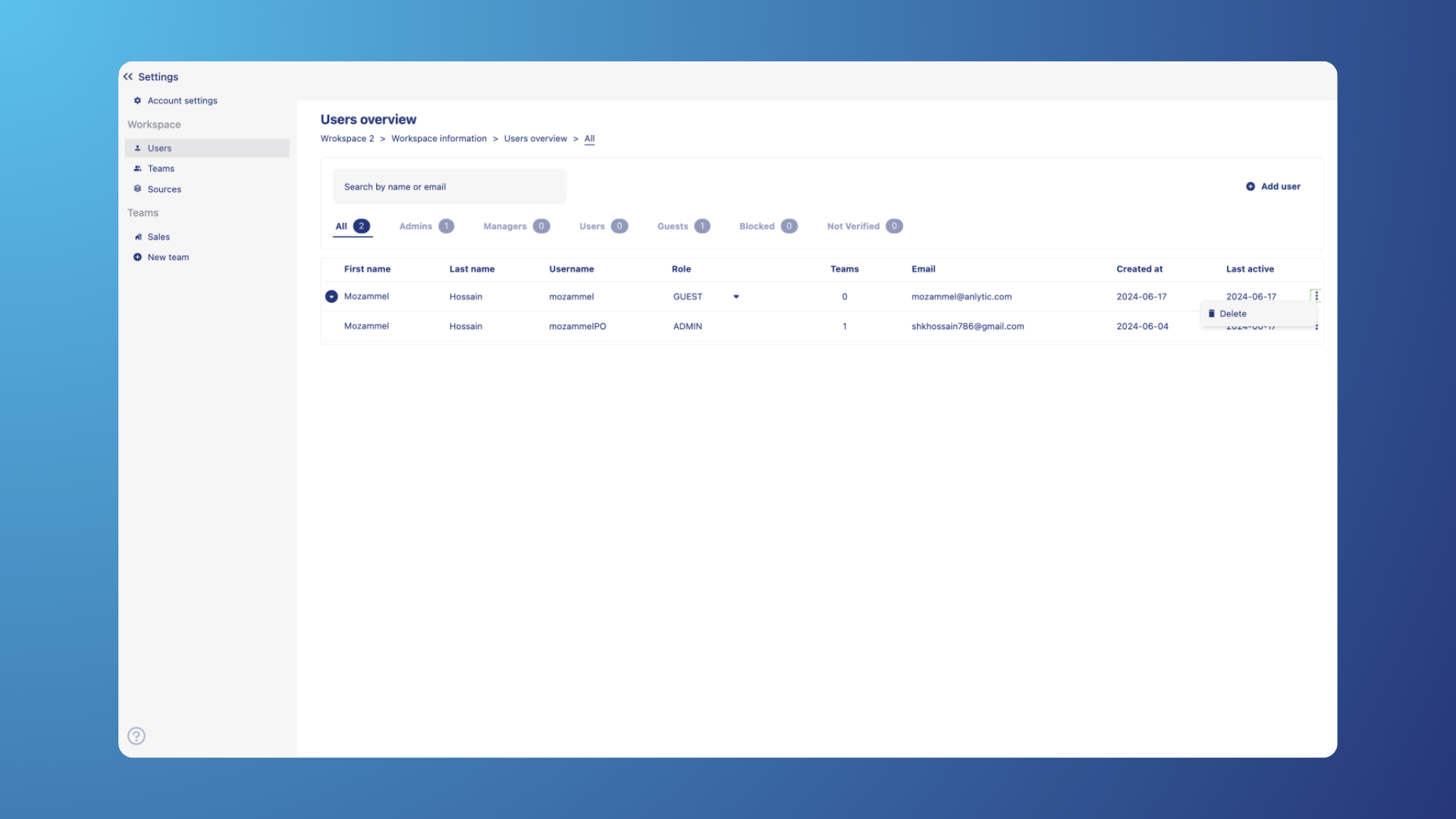
nameof the workspace. Go tosettings. Go tousersoverview.Click on the
⫶on the name of the user. Click ondelete. Click onapplyto confirm your choice. User is deleted from the workspace.